
- Bestand
-
Designs
-
-
All categories -
Category #1 - New Category
-
Mijn ontwerpen
-
-
Help
-
Snelle start
- ctrl+a
Selecteer alle objecten
ctrl+d Dupliceer de actieve objecten
ctrl+e Alle objecten wissen
ctrl+s Opslaan naar mijn ontwerpen
ctrl+o Open a file to import design
ctrl+p Print
ctrl++ Zoom out
ctrl+- Zoom in
ctrl+0 Reset zoom
ctrl+z Undo changes
ctrl+shift+z Redo changes
ctrl+shift+s Download current design
delete Delete the activate object
← Move the activate object to left
↑ Move the activate object to top
→ Move the activate object to right
↓ Move the activate object to bottom
shift+← Move the activate object to left 10px
shift+↑ Move the activate object to top 10px
shift+→ Move the activate object to right 10px
shift+↓ Move the activate object to bottom 10px
Coco Customizer
Met de Coco Customizer maak je de tofste shirts, stickers, branding en merch - helemaal in jouw eigen stijl.
-
- Shop
- Undo
- Redo
-

-
 English
-
Dutch
Languages
-
- 0.0
-
My cart
- Terug naar shop
- Ontwerpen
- Product
- Sjablonen
- Plaatjes
- Foto's
- Tekst
- Vormen
- Lagen
Klik of sleep hier afbeeldingen naar toe
Klik of sleep om tekst toe te voegen








-
Start designing by adding objects from the left side
- All selected objects are grouped | Ungroup?
- Group objects Group the position of selected objects
-
-
Fill options
Save this color
-
- QR code maken
-
Opties
-
De positie van het huidige actieve object automatisch uitlijnen aan andere objecten. -
Aan: Behoud alle objecten en voeg het sjabloon toe. Uit: verwijder alle objecten alvorens het sjabloon in te laden. -
Vervang de huidige afbeelding in plaats van toevoegen
-
- Vervangen
- Crop
-
Mask
-
Select mask layer
-
-
Remove background
-
Remove background
-
Deep:
-
Mode:
-
-
Filters
-
Filters
-
- Original
- B&W
- Satya
- Doris
- Sanna
- Vintage
- Gordon
- Carl
- Shaan
- Tonny
- Peter
- Greg
- Josh
- Karen
- Melissa
- Salomon
- Sophia
- Adrian
- Roxy
- Singe
- Borg
- Ventura
- Andy
- Vivid
- Purple
- Thresh
- Aqua
- Edge wood
- Aladin
- Amber
- Anne
- Doug
- Earl
- Kevin
- Polak
- Stan
-
Brightness:
-
Saturation:
-
Contrast:
-
- Clear Filters
- Click then drag the mouse to start drawing. Ctrl+Z = undo, Ctrl+Shift+Z = redo
- QR code tekst
-
Fill options
-
Fill options
Save this color
-
Transparent:
-
Stroke width:
-
Stroke color:
-
- Ungroup position
-
Lagen schikken
-
Position
-
Positie
Positie vergrendelen:
-
Verticaal gecentreerd
-
Links bovenaan
-
Midden bovenaan
-
Rechts bovenaan
-
Horizontaal gecentreerd
-
Links in het midden
-
In het midden
-
Rechts in het midden
- Press ← ↑ → ↓ to move 1 px, <br>Hit simultaneously SHIFT key to move 10px
-
Links onderaan
-
Beneden in het midden
-
Rechts onderaan
-
-
Transforms
-
Draaien:
-
Scheef X:
-
Scheef Y:
-
Flip X:
Flip Y:
Free transform by press SHIFT+⤡
-
-
Font family
-
Tekst bewerken
-
Tekst bewerken
-
-
Font size:
-
Letter spacing
-
Line height
-
-
Text Effects
-
Text Effects
-
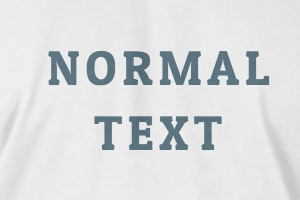
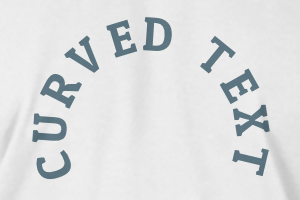
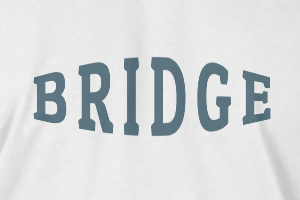
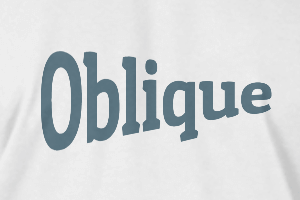
-
Radius
-
Spacing
-
Curve
-
Height
-
Offset
-
Trident
-
-
Tekstuitlijning
- Uppercase / Lowercase
- Font weight bold
- Text style italic
- Text underline
Please select a product to start designing
Scroll to zoom